What Is Worldcraft?
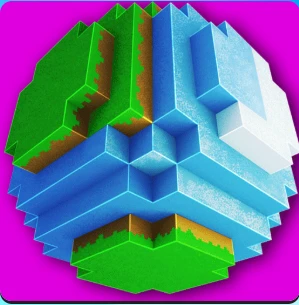
Worldcraft is an exciting block-building game developed by Tatem Games, released on March 15, 2016. In this creative online multiplayer experience, players can explore endless worlds, build structures, and interact with friends. With features like an open world survival mode, thousands of mini-worlds created by players, and over 300 customizable skins, it offers endless fun and creativity for kids of all ages.
Worldcraft Gameplay Mechanics
In this exciting block-building universe, players can explore, create, and survive using intuitive controls. Navigate the world with the WASD keys to move around, while your mouse allows you to look around and interact with the environment. Left-click to mine blocks and right-click to place them, making it easy to craft your dream creations.
The game features a vast array of mechanics that enhance your experience. Engage in global creative online multiplayer games where you can build and chat with friends. Explore thousands of mini worlds created by players, or dive into the open world survival mode where you can mine resources and battle mobs. With over 300 customizable skins, you can personalize your character to stand out in this vibrant universe.
Crafting is a key element; utilize numerous recipes for food, items, and armor to boost your survival skills. Interact with diverse animals, including tamable pets like wolves and ocelots, adding an extra layer of fun. With stunning 3D HD graphics and a variety of predefined maps to kickstart your adventure, the gameplay is both engaging and visually appealing.
Play Worldcraft on Any Device
You can play this game directly in your web browser on desktop, laptop, tablet, or mobile.
How to Play Worldcraft: A Beginner’s Guide
Welcome to your exciting adventure in this block-building universe! To start playing, simply download the game and create your account. Once you’re in, follow these easy steps to explore, build, and survive:
- Begin by gathering essential resources like wood and stone. These will help you craft tools and build structures.
- Use your creativity to design your own world! You can place blocks anywhere to create houses, castles, or anything you imagine.
- Don’t forget to mine for resources regularly. This will ensure you have enough materials for crafting and building.
- Explore the environment to find different biomes and animals. You can interact with them and even tame some as pets!
- When night falls, make sure you have a safe shelter to protect yourself from monsters that come out at night.
- Join friends in multiplayer mode to collaborate on building projects and share ideas!
Mastering Worldcraft Controls
To immerse yourself fully in the block-building universe, familiarize yourself with these essential controls:
- WASD: Move around the environment
- Mouse: Look around and interact with objects
- Left Click: Mine blocks and gather resources
- Right Click: Place blocks to construct structures
- 1-9 Number Keys: Quick access to inventory items
- E: Open inventory for crafting and building
- Spacebar: Jump to navigate terrain
Pro Tips to Master Worldcraft
To become a pro in this exciting block-building universe, follow these essential tips that will elevate your gameplay and creativity:
- Gather essential resources like wood and stone right from the start to build a strong foundation for your shelter.
- Always create a secure base before nightfall to protect yourself from hostile mobs lurking in the dark.
- Experiment with various crafting recipes to unlock powerful tools and unique items that enhance your survival experience.
- Engage with friends in multiplayer mode; teamwork can lead to amazing creations and shared adventures.
- Explore thousands of mini worlds created by other players for inspiration and new ideas for your own builds.
- Utilize the diverse animals in the game; taming pets can provide companionship and assistance during your adventures.
- Customize your character with 300+ skins to express your unique style while exploring the vast landscapes.
Key Features That Make Worldcraft Special
Worldcraft offers an exciting blend of creativity and adventure that keeps players engaged. With its vast open world and multiplayer capabilities, you can build, explore, and survive in a vibrant environment. Here are the standout features that make it a must-play:
- Creative Online Multiplayer: Collaborate with friends to build amazing structures and chat in real-time.
- Open World Survival: Mine resources, craft items, and fend off mobs in a limitless survival experience.
- 300+ Custom Skins: Personalize your character with a wide variety of themed skins to express your style.
- 10+ Predefined Maps: Jump right into the action with diverse maps designed for instant crafting fun.
- 3D HD Graphics: Enjoy stunning visuals with detailed textures that enhance your gaming experience.
- Diverse Animal Interactions: Encounter and tame various animals, adding depth to your adventures.
- Tons of Crafting Recipes: Create food, armor, weapons, and more to enhance your survival skills.
- Password Protected Parental Controls: Ensure a safe gaming environment for younger players.
- Infinite Single Player Mode: Explore and create at your own pace without any limitations.
- A Wide Variety of Weapons: Use bows, TNT, and other tools to defend yourself against threats.
Play Worldcraft Online for Free
Experience the thrilling adventure of this browser-adapted version that allows you to dive into a block-building universe without any downloads. Simply access the game through popular browsers like Chrome, Firefox, Safari, or Edge and start crafting your world instantly. Enjoy features such as global creative multiplayer, thousands of mini worlds created by players, and diverse animal interactions, all while connecting with friends in real-time.
Is Worldcraft Free to Play?
Yes, players can enjoy free online play without any fees or in-app purchases. All games on the site are completely free, allowing users to dive into a block-building adventure without financial barriers. This model enhances the gaming experience by providing access to creative multiplayer features, diverse crafting recipes, and an expansive world to explore, making it an ideal choice for gamers looking for fun without cost.
Play Worldcraft Unblocked
Yes, play Worldcraft Unblocked on helix-jump.com. Whether you’re at school, at work, or on a break—you can play without any restrictions. Enjoy seamless access to all features, including creative online multiplayer and open world survival modes. Experience the thrill of building and exploring without the hassle of limitations!
Worldcraft on GitHub
No need to search on GitHub, our version works on all devices at school or work. Enjoy a seamless experience with intuitive controls and creative multiplayer features without the hassle of downloads. Explore thousands of mini worlds and engage with a vibrant community, all within your browser.
Download Worldcraft (PC, iOS, Android)
Many fans enjoy downloading it for an even smoother experience. Here’s how:
- Android: Open the Google Play Store and tap Install.
- iOS: Open the App Store on your iPhone or iPad and tap Get.
- APK: Android users who can’t use Google Play can find and download the APK from trusted sites to install offline.
- PC Steam: If you like playing on a computer, download the game for free via Steam and enjoy a bigger screen and controller support.
Worldcraft Extension
The Chrome extension enhances your gaming experience by allowing instant access to the game from your browser. With this extension, you can enjoy features like offline modes, making it easier to play anytime, anywhere. Stay connected with friends and explore new worlds without the hassle of downloading large files.
FAQs about Worldcraft
Is Worldcraft free to play?
Yes, Worldcraft is 100% free to play. You can enjoy all its features without any download or registration required.
Can I play Worldcraft at school?
Yes, you can play it at school if the site is unblocked. It’s a browser-based game that doesn’t require downloads.
Does Worldcraft work on mobile/phone?
Yes, it works on mobile devices. You can easily access it through your phone’s web browser.
Do I need to download Worldcraft?
No, you don’t need to download anything. The game runs directly in your browser for instant play.
Can I play Worldcraft on Chromebook?
Yes, it is compatible with Chromebooks. Just open your browser and start playing!
Is there a multiplayer mode in Worldcraft?
Yes, there is a creative online multiplayer mode. You can build and chat with friends in real-time.
Are there different maps available in Worldcraft?
Yes, there are over 10 predefined maps to explore. These maps help you kickstart your building adventures.
Can I customize my character in Worldcraft?
Yes, you can customize your character with over 300 skins. This allows you to express your unique style while playing.
Is there a survival mode in Worldcraft?
Yes, there is an open world survival mode. You can mine resources and fight mobs to enhance your gameplay experience.
Are parental controls available in Worldcraft?
Yes, there are password-protected parental control options. This helps ensure a safe gaming environment for kids.
Can I interact with animals in Worldcraft?
Yes, you can interact with diverse animals in the game. Some of them can even be tamed as pets!
Conclusion
WorldCraft is the ultimate playground for kids who love creativity and adventure! With endless possibilities to build, explore, and interact with friends, every session promises fun and excitement.
Join the vibrant community of players worldwide and embark on your crafting journey today. Don’t forget to invite your friends to share in the unforgettable moments you create together!