What Is Draw Tattoo?
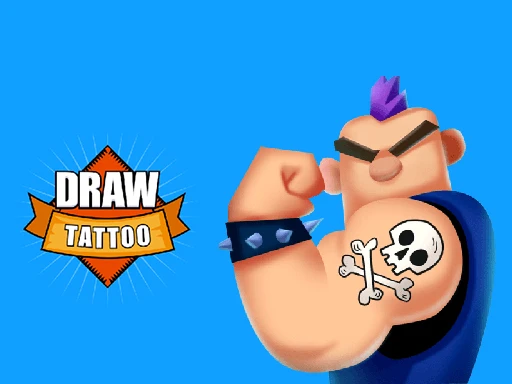
Draw Tattoo is an exciting game developed by Fun Games For Free, released in 2021. In this creative and colorful world, players get to design their own tattoos using various tools and styles. The game encourages artistic expression and allows kids to explore their imagination while having fun.
With easy-to-use controls, players can draw, color, and decorate tattoos on different characters. The game features a variety of designs, from cute animals to cool symbols, making it perfect for young artists. It’s a great way to learn about art while enjoying a playful experience!
Draw Tattoo Gameplay Mechanics
In this exciting game, players step into the shoes of a talented tattoo artist, using intuitive controls to create stunning designs. The gameplay revolves around physics-based mechanics, where you draw tattoos by tracing lines with your mouse or finger, ensuring precision and creativity. As you progress, you’ll face various challenges that require you to adapt your techniques to satisfy your clients’ unique requests.
Players can choose from a variety of tools, including pens, brushes, and colors, each affecting the final look of the tattoo. The game features a simple interface that allows for easy navigation between different design options and customization settings. Additionally, you’ll encounter mini-games that test your speed and accuracy, adding an extra layer of fun to the experience.
As you complete tattoos successfully, you’ll unlock new designs and tools, enhancing your artistic abilities. The game encourages experimentation, allowing you to mix and match styles to create one-of-a-kind tattoos that impress your clients and earn you rewards. With each completed tattoo, you’ll climb the ranks in tournament progression, showcasing your skills as a top tattoo artist!
Play Draw Tattoo on Any Device
You can play this game directly in your web browser on desktop, laptop, tablet, or mobile.
How to Play Draw Tattoo: A Beginner’s Guide
Welcome to the exciting world of tattoo art! In this game, you get to unleash your creativity and design amazing tattoos. Follow these simple steps to start your journey:
- Choose a character: Pick your favorite character to give a cool tattoo.
- Select a design: Browse through various tattoo designs and choose one that you like.
- Get your tools ready: Grab your virtual tattoo tools like the needle and ink.
- Start drawing: Use your mouse or touchpad to carefully draw the tattoo on your character’s skin.
- Add colors: Once you’re done with the outline, fill in the colors to make it pop!
- Show off your work: After finishing, you can save your design or share it with friends.
Now you’re ready to create awesome tattoos and have fun! Enjoy playing and let your imagination run wild!
Mastering Draw Tattoo Controls
To excel in this engaging game, understanding the controls is essential. Here’s a comprehensive guide to help you navigate through the gameplay effectively.
- Mouse Controls: Use the left mouse button to select and draw designs. Click and drag to create intricate patterns.
- Zoom In/Out: Scroll your mouse wheel to zoom in for detailed work or zoom out for a broader view of your canvas.
- Color Selection: Click on the color palette to choose your ink colors. Hover over colors for a preview before selecting.
- Eraser Tool: Press the ‘E’ key or click on the eraser icon to remove any mistakes or unwanted lines.
- Undo/Redo: Use ‘Ctrl + Z’ to undo your last action and ‘Ctrl + Y’ to redo it.
- Save Design: Click the save icon or press ‘Ctrl + S’ to store your masterpiece for later use.
Pro Tips to Master Draw Tattoo
Ready to create awesome designs? Here are some pro tips to help you become a tattoo drawing expert!
- Start with Basic Shapes: Break down your design into simple shapes. This makes it easier to create detailed tattoos later.
- Use Layers: Draw different parts of your tattoo on separate layers. This allows you to make changes without starting over.
- Experiment with Colors: Try out different color combinations. Bright colors can make your tattoos pop!
- Practice Line Thickness: Vary the thickness of your lines for depth and style. Thicker lines can outline, while thinner lines add detail.
- Study Real Tattoos: Look at real-life tattoos for inspiration. Notice how artists use shading and design elements.
- Get Feedback: Share your designs with friends or family. Their feedback can help you improve and see things from a new perspective.
Key Features That Make Draw Tattoo Special
Experience the fun and creativity of this exciting game with these amazing features:
- Unique Drawing Mechanics: Use your mouse or touch screen to create stunning tattoo designs.
- Variety of Styles: Choose from a wide range of tattoo styles, including tribal, floral, and cartoon.
- Customizable Characters: Personalize your character with different outfits and accessories.
- Challenging Levels: Progress through various levels that test your drawing skills and creativity.
- Fun Mini-Games: Enjoy mini-games that offer rewards and enhance your gameplay experience.
- Share Your Creations: Easily share your tattoo designs with friends and on social media.
Play Draw Tattoo Online for Free
Experience the excitement of this browser-adapted version that brings the fun of tattoo design right to your fingertips. You can easily access it on popular browsers like Chrome, Firefox, Safari, and Edge. Enjoy online-specific features such as real-time multiplayer sessions and customizable avatars that enhance your gaming experience.
Is Draw Tattoo Free to Play?
Yes, you can enjoy free online play without any fees or in-app purchases. All games on the site are completely free, allowing players to dive into the fun without worrying about costs. Competitors highlight benefits such as unlimited access to gameplay, no financial commitments, and the ability to explore various features without restrictions, making it a great choice for casual gamers and enthusiasts alike.
Play Draw Tattoo Unblocked
Yes, play it unblocked on helix-jump.com. Whether you’re at school, at work, or on a break—you can play without any restrictions. Enjoy seamless access to all game features, including creative challenges and multiplayer options, making it the perfect way to unwind during downtime.
Draw Tattoo on GitHub
No need to search on GitHub, our version works on all devices at school or work. Unlike other versions, which may require specific setups or installations, ours is fully optimized for seamless access and functionality. Enjoy the creative process without the hassle of compatibility issues.
Download Draw Tattoo (PC, iOS, Android)
Many fans enjoy downloading it for an even smoother experience. Here’s how:
- Android: Open the Google Play Store and tap Install.
- iOS: Open the App Store on your iPhone or iPad and tap Get.
- APK: Android users who can’t use Google Play can find and download the APK from trusted sites to install offline.
- PC Steam: If you like playing on a computer, download the game for free via Steam and enjoy a bigger screen and controller support.
Draw Tattoo Extension
The Chrome extension enhances your gaming experience by offering instant play capabilities and seamless access to features. With this extension, you can enjoy the game even when offline, ensuring that your creative flow is never interrupted. Download the Chrome extension today to unlock new possibilities and elevate your tattoo design journey.
FAQs about Draw Tattoo
Is Draw Tattoo free to play?
Yes, it is 100% free to play. No download or registration is required, making it easy for everyone to join in on the fun!
Can I play Draw Tattoo at school? (unblocked)
Yes, you can play it at school if the game is unblocked. Many schools allow access to browser-based games during breaks.
Does Draw Tattoo work on mobile/phone?
Yes, it works on mobile phones. You can easily play it on your device without any issues.
Do I need to download Draw Tattoo?
No, you do not need to download anything. The game can be played directly in your web browser.
Can I play Draw Tattoo on Chromebook?
Yes, you can play it on a Chromebook. The game runs smoothly in the Chrome browser.
Is there a multiplayer option in Draw Tattoo?
No, there is no multiplayer option available. It is a single-player experience focused on creativity.
Can I save my designs in Draw Tattoo?
No, you cannot save your designs directly. However, you can take screenshots of your creations!
Is there a tutorial for beginners in Draw Tattoo?
Yes, there is a simple tutorial for beginners. It helps you learn the basics of drawing tattoos quickly.
Are there different styles of tattoos to choose from?
Yes, there are various styles available. You can explore different designs and themes while playing.
Can I share my tattoos with friends?
No, sharing directly from the game is not possible. But you can share screenshots with friends outside the game!
Is Draw Tattoo suitable for all ages?
Yes, it is suitable for all ages. The game is designed to be fun and safe for everyone to enjoy.
Conclusion
Draw Tattoo is a fantastic game that sparks creativity and allows kids to express themselves through art. With its fun and easy-to-use interface, players can unleash their imagination by designing unique tattoos and sharing them with friends.
Not only does this game provide endless entertainment, but it also encourages artistic skills and creativity in a playful environment. So why wait? Dive into the world of Draw Tattoo today, and don’t forget to invite your friends to join the fun!