What Is Wordmeister?
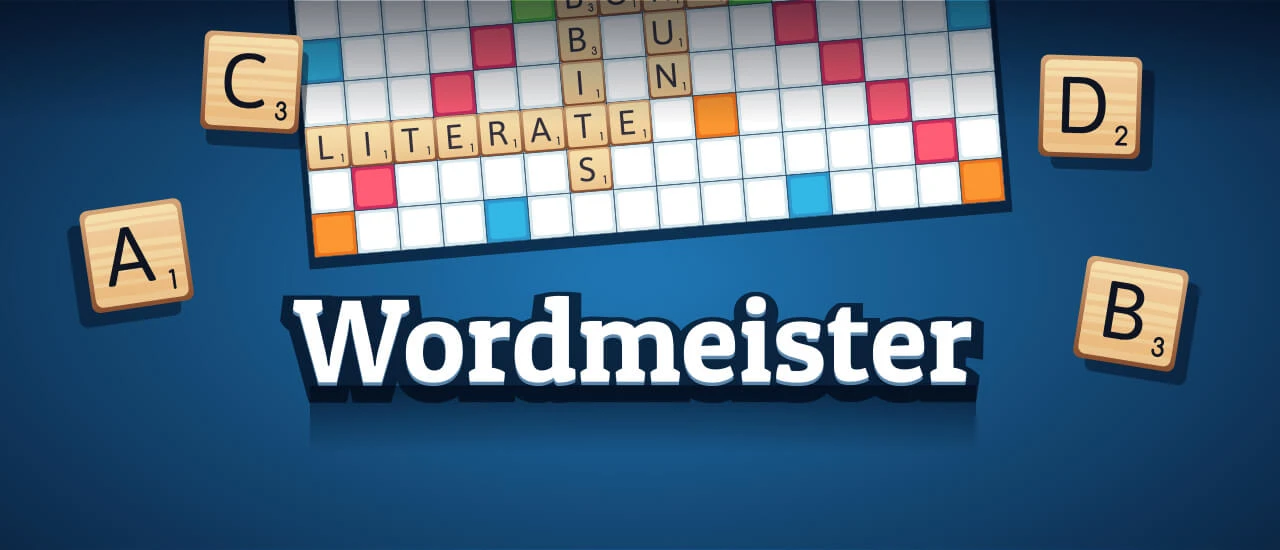
Wordmeister is an exciting browser-based word game that challenges players to create words using letter tiles. Developed by a talented team of game designers, it was released in 2023 and quickly gained popularity among kids and families. With its simple drag-and-drop mechanics, players can easily form words while aiming for high scores by landing on special bonus squares.
The game features a large dictionary, ensuring that players can use a wide variety of words. It also includes helpful functions like shuffling and swapping tiles, making it easier to come up with new ideas during gameplay. Whether you’re playing against friends or a smart AI opponent, Wordmeister offers endless fun and learning opportunities!
Wordmeister Gameplay Mechanics
To start playing, each player is randomly assigned a letter, and the one with the earliest letter in the alphabet goes first. Players take turns forming words by dragging and dropping letter tiles onto the board. The objective is to create valid words, earning points based on the letters used and their placement on special colored squares that offer bonuses.
The board features different colored squares that enhance scoring: blue squares double the value of a letter, green squares triple it, orange squares double the word score, and red squares triple it. If you find yourself stuck, you can swap as many letters as you want for new ones or shuffle your tiles to spark creativity.
Additionally, an interactive tutorial helps players learn the game mechanics quickly. You can track your score and see how many tiles are left in the bag. Use strategic thinking to maximize your score by placing high-value letters on bonus tiles while keeping an eye on your opponent’s moves!
Play Wordmeister on Any Device
You can play this game directly in your web browser on desktop, laptop, tablet, or mobile.
How to Play Wordmeister: A Beginner’s Guide
To start, each player gets a letter tile. The player with the letter that comes first in the alphabet goes first. Your goal is to create words using your tiles on the board to earn points!
Here’s how to play:
- Take turns placing your letter tiles to form words. Words can be two letters or longer!
- Each letter has a point value, with trickier letters worth more points.
- Use special colored squares on the board for bonus points:
- Blue = doubles the letter’s value
- Green = triples the letter’s value
- Orange = doubles the word’s total score
- Red = triples the word’s total score
- If you can’t think of a word, you can swap your tiles for new ones or skip your turn.
- The game ends when there are no tiles left or when players can’t make any more words.
Mastering Wordmeister Controls
To play, use your mouse to drag and drop letter tiles onto the board. Players take turns forming words, aiming to maximize their score by utilizing special bonus squares.
- Basic Controls:
- Drag and drop tiles to create words.
- Click on tiles to select them for placement.
- Advanced Controls:
- Use keyboard shortcuts to shuffle or swap tiles.
- Swap letters you don’t need for new ones.
- Access an interactive tutorial for guidance.
Pro Tips to Master Wordmeister
Unlock your potential and score big with these expert strategies! Use these tips to outsmart your opponents and dominate the game.
- Utilize Bonus Tiles: Always aim to place your high-value letters on blue and green tiles for double or triple letter scores. This can significantly boost your points!
- Form Longer Words: The longer the word, the more points you earn. Challenge yourself to create words with three or more letters whenever possible.
- Keep an Eye on Opponents: Pay attention to your opponent’s moves. Anticipate their strategy and block them from accessing high-scoring bonus tiles.
- Use the Shuffle Function Wisely: If you’re stuck, don’t hesitate to shuffle your letters. This can give you fresh options and spark new word ideas!
- Practice with AI: Play against the intelligent AI opponent to sharpen your skills. This will help you learn new words and improve your gameplay before challenging friends.
- Swap Unwanted Letters: If you have letters that won’t help you form a word, use your turn to swap them out for new ones. This keeps your options open!
Key Features That Make Wordmeister Special
Wordmeister offers a unique blend of classic gameplay and modern features that enhance the fun. Players can enjoy a variety of options to strategize and personalize their gaming experience. Here are the standout features:
- Engaging drag-and-drop tile system for easy word formation.
- Interactive tutorial to help new players learn quickly.
- Advanced functions like shuffling and swapping tiles for strategic play.
- Color-coded bonus squares that double or triple letter and word scores.
- A vast dictionary that includes words accepted in global competitions.
- Leaderboard to track your performance against friends and players worldwide.
- Smart AI opponent for solo practice or a challenging game.
- Ability to view remaining tiles in the bag for better planning.
- Customizable avatars for a personalized gaming experience.
- Offline mode supported for play anytime, anywhere.
Play Wordmeister Online for Free
Experience the excitement of this browser-adapted version, allowing you to dive into strategic wordplay without any downloads. Play seamlessly on popular browsers like Chrome, Firefox, Safari, and Edge. Enjoy features like an interactive tutorial, a smart AI opponent for practice, and easy drag-and-drop mechanics to enhance your gameplay.
Is Wordmeister Free to Play?
Yes, you can enjoy free online play without any fees or in-app purchases. All games on the site, including this popular word challenge, are completely free. Experience the benefits of free play, such as no financial commitment, easy access to gameplay, and the opportunity to sharpen your vocabulary skills against friends or AI opponents.
Play Wordmeister Unblocked
Yes, play Wordmeister Unblocked on helix-jump.com. Whether you’re at school, at work, or on a break—you can play without any restrictions. Enjoy the classic gameplay with easy drag-and-drop mechanics and a huge selection of words. Plus, take advantage of advanced functions like shuffling and swapping tiles to enhance your strategy!
Wordmeister on GitHub
No need to search on GitHub, our version works on all devices at school or work. Enjoy advanced features like shuffling and swapping tiles, along with a huge selection of words consistent with worldwide competition standards. Plus, track your performance against friends and global players with our leaderboard!
Download Wordmeister (PC, iOS, Android)
Many fans enjoy downloading it for an even smoother experience. Here’s how:
- Android: Open the Google Play Store and tap Install.
- iOS: Open the App Store on your iPhone or iPad and tap Get.
- Wordmeister APK: Android users who can’t use Google Play can find and download the APK from trusted sites to install offline.
- PC Steam: If you like playing on a computer, download the game for free via Steam and enjoy a bigger screen and controller support.
Wordmeister Extension
Enhance your gameplay with the convenient Chrome extension. This tool allows for instant play, making it easy to jump into a game whenever you want. With possible offline modes, you can enjoy word challenges even without an internet connection, ensuring you never miss a chance to test your skills.
FAQs about Wordmeister
Is Wordmeister free to play?
Yes, it is 100% free to play. No download or registration is required, so you can jump right in!
Can I play Wordmeister at school?
Yes, you can play it at school as it is often unblocked. Just make sure your school allows online games!
Does Wordmeister work on mobile/phone?
Yes, it works on mobile devices. You can enjoy the game on your phone or tablet without any issues!
Do I need to download Wordmeister?
No, there’s no need to download anything. You can play directly in your web browser!
Can I play Wordmeister on Chromebook?
Yes, it runs perfectly on Chromebooks. Just open your browser and start playing!
How do I start a game in Wordmeister?
You start by selecting your letter tiles and forming words on the board. The game begins with both players randomly assigned a letter.
What are bonus tiles in Wordmeister?
Yes, there are bonus tiles! They can double or triple the value of your letters or words, helping you score more points.
Can I swap letters if I’m stuck?
Yes, you can swap letters if you’re stuck. Use your turn to exchange letters for new ones to help form words!
Is there an AI opponent in Wordmeister?
Yes, there is an intelligent AI opponent. You can practice against it to improve your skills before challenging friends!
How can I see my score in Wordmeister?
Your score is displayed in the top right corner of the screen. You can easily track how well you’re doing during the game!
Are there tutorials available for new players?
Yes, there’s an interactive tutorial to help you get started. It teaches you the basics of gameplay and controls.
Can I personalize my experience in Wordmeister?
Yes, you can choose your own avatar for a personalized touch! Select one that represents you as you play.
Conclusion
Wordmeister is not just a game; it’s a fantastic way for kids to enhance their vocabulary while having a blast! With its engaging gameplay and friendly competition, players can enjoy challenging their friends or taking on opponents from around the world.
So why wait? Dive into Wordmeister today, sharpen your word skills, and share the fun with your friends! The adventure of wordplay awaits you online!