What Is Mini Blocks?
Mini Blocks is an exciting browser-based sports game developed by Creative Games, released in 2023. This fun and engaging title allows players to dive into a world of creativity and adventure, where they can build, explore, and compete with friends. With its physics-based mechanics and vibrant voxelated graphics, it offers a unique gaming experience that captivates players of all ages.
In this game, you can choose between survival and creative modes, gather resources, craft items, and engage in thrilling minigames like PvP battles or parkour challenges. Join the fun today and unleash your imagination in a colorful universe!
Mini Blocks Gameplay Mechanics
In Mini Blocks, players can dive into two exciting game modes: survival and creative. In survival mode, you start with nothing and must gather resources to build shelters and fend off monsters. Creative mode allows you to unleash your imagination, giving you the freedom to construct anything you desire using a variety of block types.
The game features intuitive controls that make building easy and fun. Use the left mouse button to place blocks and the right mouse button to remove them. You can also zoom in and out with the scroll wheel for a better view of your creations.
World creation is a key element; players can craft unique landscapes by mining resources and using custom seeds to generate diverse terrains. Whether you’re constructing a towering castle or a cozy cottage, the possibilities are endless!
Mini Blocks also includes thrilling minigames like PvP battles, parkour challenges, and more. Engage with friends in multiplayer mode or test your skills in tournaments that showcase your building prowess. With physics-based mechanics, every block you place interacts realistically, adding an extra layer of challenge and creativity.
Play Mini Blocks on Any Device
You can play this game directly in your web browser on desktop, laptop, tablet, or mobile.
How to Play Mini Blocks: A Beginner’s Guide
Welcome to your adventure! In this game, you can build, explore, and play with friends in a world made of blocks. Here’s how to get started:
- Choose Your Game Mode: You can play in survival mode, where you gather resources and build to stay safe, or creative mode, where you can build anything you imagine without limits.
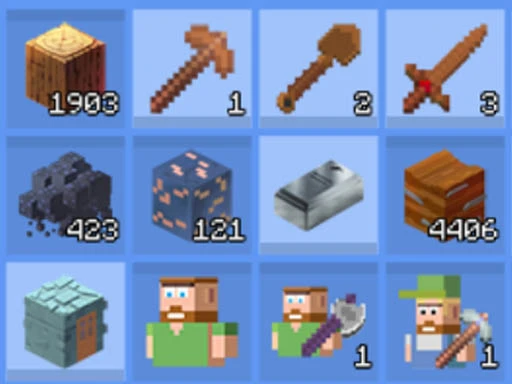
- Explore Your World: Move around to discover new areas. You can mine for resources like wood and stone, which are essential for crafting and building.
- Create and Build: Use the blocks you collect to create structures. Click and drag to place blocks where you want them. Be creative and build anything from houses to castles!
- Join Minigames: Try out fun minigames like PvP battles or parkour challenges with other players. It’s a great way to test your skills!
- Socialize: Add friends and invite them to join your games. You can create custom rooms to play together.
Now you’re ready to jump into the exciting world of block building! Have fun exploring and creating!
Mastering Mini Blocks Controls
To navigate the exciting world of building and crafting, familiarize yourself with the following controls:
- WASD: Move around the environment
- Mouse: Look around and interact with objects
- Left Mouse Button: Place blocks in your desired location
- Right Mouse Button: Remove blocks to modify your creations
- Scroll Wheel: Zoom in and out for a better view of your surroundings
These controls will help you master the mechanics and unleash your creativity in this engaging game.
Pro Tips to Master Mini Blocks
To truly excel in this exciting building adventure, follow these specialized strategies designed just for you!
- Gather Resources Early: Start by collecting essential materials as soon as you enter survival mode. This will give you a solid foundation for building and crafting.
- Plan Your Builds: Before placing blocks, sketch out your ideas. This helps in creating stable and impressive structures that can withstand challenges.
- Experiment with Block Types: Use various block types to enhance the stability and aesthetics of your creations. Mixing materials can lead to unique designs!
- Create Safe Zones: Establish a secure area to retreat to when exploring dangerous terrains. This will keep you safe from monsters and other threats.
- Practice Minigames: Engage in different minigames to sharpen your skills. The more you play, the better you become at strategizing and competing against others.
- Collaborate with Friends: Team up with friends to build together! Collaboration can spark innovative ideas and lead to amazing constructions.
Key Features That Make Mini Blocks Special
Mini Blocks offers a unique blend of creativity and competition that keeps players engaged. With its vibrant voxelated graphics and diverse gameplay options, every session is an adventure. Here are the standout features that make it a must-play:
- Diverse voxelated graphics for a colorful building experience.
- Multiple game modes including survival and creative options.
- Custom world creation using unique seeds for personalized gameplay.
- A variety of minigames like PvP, parkour, and more for different play styles.
- Physics-based mechanics for realistic building and interaction.
- Multiplayer mode for collaborative building with friends.
- Tournament progression to showcase your skills and compete with others.
Play Mini Blocks Online for Free
Experience the excitement of this browser-adapted version, allowing you to dive into the world of block-building without any downloads. Compatible with popular browsers like Chrome, Firefox, Safari, and Edge, you can easily join friends or explore solo. Engage in various minigames, create custom worlds, and enjoy seamless multiplayer interactions, all from the comfort of your browser!
Is Mini Blocks Free to Play?
Yes, you can enjoy free online play without any fees or in-app purchases. All games on the site are completely free, allowing players to dive into the action without financial constraints. This model encourages creativity and collaboration, as players can focus on building and exploring without worrying about costs, enhancing the overall gaming experience.
Play Mini Blocks Unblocked
Yes, play Mini Blocks Unblocked on helix-jump.com. Whether you’re at school, at work, or on a break—you can play without any restrictions. Enjoy seamless gameplay with no annoying ads or download requirements, allowing you to dive straight into building and exploring. Plus, the browser-based platform ensures you can access your favorite game from any device!
Mini Blocks on GitHub
No need to search on GitHub, our version works on all devices at school or work. Enjoy seamless gameplay with physics-based mechanics and diverse voxelated graphics, ensuring an engaging experience without the hassle of installation. Join the fun and explore various game modes and minigames that will keep you entertained for hours!
Download Mini Blocks (PC, iOS, Android)
Many fans enjoy downloading it for an even smoother experience. Here’s how:
- Android: Open the Google Play Store and tap Install.
- iOS: Open the App Store on your iPhone or iPad and tap Get.
- APK: Android users who can’t use Google Play can find and download the APK from trusted sites to install offline.
- PC Steam: If you like playing on a computer, download the game for free via Steam and enjoy a bigger screen and controller support.
Mini Blocks Extension
Enhance your gaming experience with the convenient Chrome extension that allows for instant access to your favorite game. This extension not only enables quick play but also offers possible offline modes, ensuring you can enjoy your adventures anytime, anywhere. Download the Chrome extension now and take your gameplay to the next level!
FAQs about Mini Blocks
Is Mini Blocks free to play?
Yes, it is 100% free to play. No download or registration is required!
Can I play Mini Blocks at school?
Yes, you can play it at school if your school allows unblocked games. Just check with your teachers!
Does Mini Blocks work on mobile/phone?
Yes, it works on mobile devices. You can enjoy building and exploring on the go!
Do I need to download Mini Blocks?
No, you do not need to download anything. Simply access it through your web browser!
Can I play Mini Blocks on Chromebook?
Yes, it is compatible with Chromebooks. Just open your browser and start playing!
What game modes are available in Mini Blocks?
There are two main game modes: survival and creative. Each offers a unique way to play and explore!
Can I create my own worlds in Mini Blocks?
Yes, you can create custom worlds using unique seeds. Let your imagination run wild!
Are there minigames in Mini Blocks?
Yes, there are various minigames like PvP and parkour. They add extra fun to your gaming experience!
Can I play with friends in Mini Blocks?
Yes, you can add friends and invite them to join your games. Team up for even more fun!
What controls do I use in Mini Blocks?
You use the mouse and keyboard for controls. It’s easy to learn and start building right away!
Conclusion
Mini Blocks is the perfect game for kids who love creativity and adventure! With its engaging sandbox environment, players can build anything they imagine while exploring exciting minigames and collaborating with friends.
Join the fun today and start crafting your dream creations in this vibrant browser game. Don’t forget to invite your friends to share in the excitement—together, you can create unforgettable memories in Mini Blocks!