What Is Dordle?
Dordle is an exciting word puzzle game developed to challenge your vocabulary skills. Released in 2022, it allows players to solve two hidden words simultaneously using just seven guesses. With color-coded feedback for each guess, this game is perfect for kids looking to have fun while enhancing their word knowledge!
Dordle Gameplay Mechanics
In this exciting word puzzle game, players must guess two hidden words simultaneously using their keyboard. Each round allows for seven attempts, and players input their guesses into both word puzzles at once. After each guess, colorful feedback guides players: letters highlighted in green are in the correct position, yellow indicates a letter is present but in the wrong spot, and gray means the letter is not in either word.
The game is designed to challenge your vocabulary and logic skills, making it perfect for kids who love puzzles. To start, simply type any five-letter word, and watch as the game provides hints to help you solve both puzzles. Keep track of your guesses and use the color clues wisely to narrow down your options!
With daily challenges and engaging gameplay mechanics, players can enjoy a fresh experience every day. The intuitive controls make it easy for anyone to jump right in and start solving. Remember to focus on common letters and patterns to improve your chances of winning!
Play Dordle on Any Device
You can play this game directly in your web browser on desktop, laptop, tablet, or mobile.
How to Play Dordle: A Beginner’s Guide
Welcome to the exciting world of word puzzles! In this game, you have the challenge of guessing two hidden words at the same time. You have seven tries to figure them out, so let’s dive into how to play!
- Start by typing any five-letter word. This will be your first guess for both puzzles.
- After each guess, you’ll receive clues through color-coded tiles:
- Green: The letter is in the word and in the correct spot.
- Yellow: The letter is in the word but in the wrong spot.
- Gray: The letter is not in the word at all.
- Use the clues to help you guess the next words. Remember, you have seven attempts total!
- Once you guess both words correctly, you win! If not, you’ll see how many tries it took and can try again.
Mastering Dordle Controls
To excel at this engaging word puzzle, players will primarily use their keyboard to input guesses for both words simultaneously. Each guess will provide valuable feedback through color-coded tiles, helping you refine your next attempts.
- Basic Controls:
- Type your guess using the keyboard.
- Each guess must consist of five distinct letters.
- You have seven attempts to solve both words.
- Feedback Mechanism:
- Green tile: Letter is correct and in the right position.
- Yellow tile: Letter is in the word but in the wrong position.
- Gray tile: Letter is not in the word at all.
- Advanced Controls:
- Utilize color hints to adjust your subsequent guesses effectively.
- Focus on identifying common letters and patterns after each round.
Pro Tips to Master Dordle
To become a Dordle champion, follow these expert tips that will help you guess the words faster and smarter. Use your attempts wisely and pay attention to the clues provided after each guess!
- Start Strong: Use a word with multiple vowels and common consonants like “CRANE” or “SLOTH” for your first guess to gather maximum information.
- Color Clues: Remember that green means the letter is correct and in the right spot, yellow means it’s in the word but in the wrong spot, and gray means it’s not in the word at all. Use this feedback to adjust your next guesses!
- Think Two Words: Since you’re solving two words at once, try to make guesses that can help you identify letters for both words simultaneously.
- Use Common Patterns: Many English words follow common patterns. Look for familiar prefixes or suffixes that can help you narrow down your options.
- Track Your Letters: Keep a mental note of which letters you’ve already guessed and their results. This will prevent you from wasting attempts on letters that are already confirmed as gray.
- Stay Calm: If you’re stuck, take a deep breath! Sometimes stepping back for a moment can help clear your mind and lead to fresh ideas.
Key Features That Make Dordle Special
Dordle offers a unique twist on word puzzles that keeps players engaged and challenged. With two words to guess simultaneously, it enhances the fun and strategy involved in gameplay. Here are the standout features that make this game a favorite among puzzle enthusiasts:
- Two simultaneous word puzzles to solve, doubling the challenge.
- Intuitive keyboard controls for easy input of guesses.
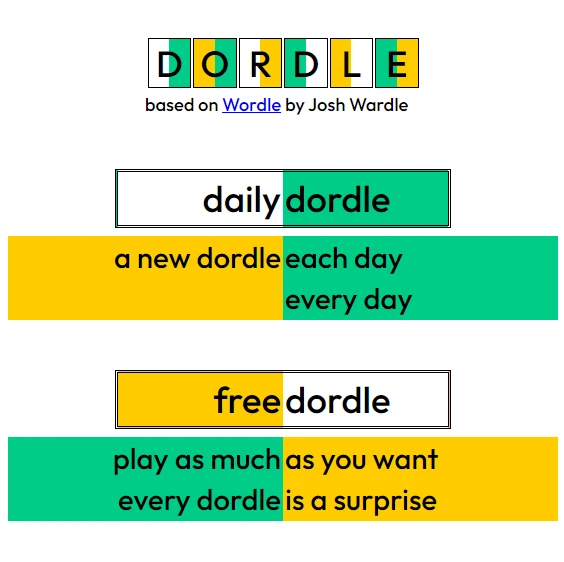
- Daily challenges to keep gameplay fresh and exciting.
- Color-coded feedback for each guess, helping players identify correct letters and placements.
- Engaging word puzzle mechanics that encourage strategic thinking.
- Options to play in multiple languages, making it accessible to a wider audience.
- Customizable settings for word length, allowing players to adjust difficulty.
Play Dordle Online for Free
Experience the excitement of this browser-adapted version, allowing you to enjoy the game seamlessly on any device. Whether you’re using Chrome, Firefox, Safari, or Edge, you can dive into the fun without downloading anything. Engage with daily challenges and enjoy color-coded feedback that enhances your gameplay as you solve two word puzzles simultaneously.
Is Dordle Free to Play?
Yes, you can enjoy this engaging word puzzle game without any costs. There are no fees or in-app purchases required, allowing players to dive into the fun without financial barriers. All games on the site are free, making it easy for everyone to participate and sharpen their word-guessing skills while enjoying daily challenges and color-coded feedback.
Play Dordle Unblocked
Yes, play Dordle Unblocked on helix-jump.com. Whether you’re at school, at work, or on a break—you can play without any restrictions. Enjoy the thrill of solving two word puzzles simultaneously while benefiting from features like daily challenges and color-coded feedback. This version ensures you can engage in fun and challenging gameplay anytime, anywhere!
Dordle on GitHub
No need to search on GitHub, our version works on all devices at school or work. Enjoy the fun of solving two word puzzles simultaneously without any installation hassles. With daily challenges and intuitive controls, you can dive right into the action!
Download Dordle (PC, iOS, Android)
Many fans enjoy downloading it for an even smoother experience. Here’s how:
- Android: Open the Google Play Store and tap Install.
- iOS: Open the App Store on your iPhone or iPad and tap Get.
- Dordle APK: Android users who can’t use Google Play can find and download the APK from trusted sites to install offline.
- PC Steam: If you like playing on a computer, download the game for free via Steam and enjoy a bigger screen and controller support.
Dordle Extension
Enhance your gameplay with a dedicated Chrome extension designed for instant access to the game. This extension allows players to enjoy seamless gameplay, even offering offline modes for those times when internet access is limited. With features such as keyboard shortcuts and quick hints, you’ll be able to solve puzzles more efficiently and elevate your word-guessing experience.
FAQs about Dordle
Is Dordle free to play?
Yes, it is 100% free to play. You don’t need to download or register to enjoy the game!
Can I play Dordle at school?
Yes, you can play it at school if the site is unblocked. It’s a fun way to challenge your brain during breaks!
Does Dordle work on mobile/phone?
Yes, it works perfectly on mobile devices. You can enjoy the game anytime, anywhere!
Do I need to download Dordle?
No, you do not need to download anything. You can play directly in your web browser.
Can I play Dordle on Chromebook?
Yes, it runs smoothly on Chromebooks. Just open your browser and start playing!
What are the rules of the Dordle game?
You have seven tries to guess two hidden words. Use color clues to help you figure out the answers!
What is the best word to start the game?
The best starting word is one with lots of vowels and no repeating letters. Try using “CRANE” or “RADIO”!
Can I play Dordle in different languages?
Yes, you can change the language in the settings. It supports many languages like Spanish, French, and more!
How to enable daily Dordle mode?
You can turn on daily mode in the game settings. This lets you solve the same words every day with friends!
Can I change the number of letters in hidden words?
Yes, you can change the number of letters in target words. Just go to the game settings to select your preferred length!
What is the difference between Dordle and Wordle?
Dordle is different because you solve two words at once with seven tries. It’s a bigger challenge than Wordle!
Conclusion
Dordle is a delightful word game that challenges kids to think critically while having fun. With its unique dual-word puzzles and engaging gameplay, players can sharpen their vocabulary and problem-solving skills while enjoying friendly competition.
Encourage your friends to join in on the fun and see who can guess the words first! Dive into Dordle online today and experience the excitement together!